What Is Law Firm Workflow Automation?
A signed engagement letter sits in an inbox for six hours before anyone opens the file. A finished draft sits in a shared folder overnight because nobody told the reviewing attorney it's ready. A matter moves into "awaiting client documents" and stays there for three weeks, because the only thing tracking it is someone's memory of a conversation from earlier in the month.
None of that happens because the firm is disorganized. It happens because nothing in the system tells the next person it's their turn. That's the specific problem law firm workflow automation solves, and it's a narrower, more useful idea than most of the marketing around it suggests.
This guide covers what workflow automation actually means, where coordination breaks down in small and mid-sized firms, how it's different from the task reminders most legal software already does, and how to build it in your own firm without adding headcount.
Jump to a section
- What law firm workflow automation actually means
- Where work actually breaks in small and mid-sized firms
- Task automation vs. workflow automation
- How to build workflow automation in your firm
- Task chain automation: linking the steps together
- Where automation shows up across a firm
- What good workflow automation looks like
- Practical takeaways
- Frequently asked questions
What Law Firm Workflow Automation Actually Means
Law firm workflow automation is the practice of defining how work moves between stages and triggering the next action automatically when a stage is complete. It replaces manual handoffs, follow-up emails, and status meetings with structured triggers that fire without human intervention. Most firms do not have a workload problem. They have a workflow problem, and automation is how you fix the workflow.
That definition matters because it's easy to confuse with two other things: case management and task reminders. Case management stores facts about a matter: parties, dates, documents, notes. It answers what is true about a case. Workflow is a different layer entirely. It answers what happens next, who owns it, and when the next person should act. A firm can have excellent case management and still have no workflow at all, which is exactly what's happening when a paralegal has to ask "where are we on this?" about a matter that's fully documented in the case file.
Automation only works once that layer exists. You can't trigger a next step in a process that was never defined as a sequence of steps in the first place. That's why workflow automation isn't really a software feature you turn on. It's what happens after a firm has already done the harder work of naming its stages and assigning ownership to each one.
If you want the fuller picture of how those stages actually show up matter by matter, and where they tend to fall apart even in firms that think they're organized, How Law Firm Workflows Actually Work (And Where They Break) goes through it in more detail than a definition alone can.
Where Work Actually Breaks in Small and Mid-Sized Firms
Coordination overhead doesn't show up as one big problem. It shows up as three small, repeated ones, and each costs a firm time in a different way.
Manual handoffs. A draft gets finished and sits untouched for hours, sometimes days, because the person who needs to review it doesn't know it's ready. Nobody skipped a step. The work simply crossed a boundary that nothing was watching. Multiply that by every matter moving through every stage in a given week, and the dead time adds up fast.
Repetitive status updates. The same information gets typed into three different places: a case management system, a shared spreadsheet, an email to the client. Paralegals in particular absorb this cost, because they're usually the ones re-entering client data that was already captured once at intake. It's not hard work. It's just work that shouldn't exist twice, and Paralegals Re-Enter the Same Client Data Five Times a Week breaks down exactly where that repetition comes from.
Follow-up chasing. Someone has to remember to remind a client for documents, chase a signature, or nudge an attorney toward a deadline. That reminding is real labor, and almost none of it is billable. It's also the layer of firm operations that's hardest to see from the outside, because it looks like busywork rather than a systemic gap. Why Small Firms Lose Billable Time to Untracked Work looks at how much of a firm's week this actually consumes once you start counting it.
Every one of these breakdowns has the same root cause: work crossed a stage boundary and nothing fired to signal it. That's the gap automation is built to close.
Task Automation vs. Workflow Automation
Most legal software already automates something. The confusion is that it automates tasks, not workflow, and those are not the same category of problem.
Task automation handles individual actions: a reminder fires, a template auto-fills, an invoice generates. It helps one person move faster on one thing. What it doesn't do is connect to anything else. The reminder doesn't know whether the prerequisite work actually started. The auto-filled template doesn't tell the next person in line that it's their turn. Each action lives in isolation.
Workflow automation is different in kind, not just in scope. It defines how work moves between stages, who owns each step, and what triggers the next action automatically. "Matter enters Review, notify the attorney and create a task." "Document signed, trigger the filing checklist." "Forty-eight hours with no movement, escalate to the partner." The stages are connected. Work advances without anyone having to coordinate it by hand.
This is the actual distinction behind Legalboards' workflow automation: most tools help an individual work faster. Workflow automation is what makes an entire matter move without a human being the connective tissue between steps.
It's also the question worth asking before evaluating any tool that claims to save your firm time. If it only automates single actions, it's task automation with a better interface. If you're comparing options for your team, Workflow Management Tools for Paralegals: What to Look For and Top Features to Look for in Legal Workflow Automation Tools both go through what separates the two in practice, not just in marketing copy.
How to Build Workflow Automation in Your Firm
Automation isn't the first step. It's the third one, and skipping ahead to it is why most firms that "try automation" end up with a handful of disconnected reminders instead of an actual system.
Define the stages first. Every matter type has a real sequence it moves through, from intake to resolution, whether or not anyone has written it down. The work here is naming those stages explicitly and assigning one clear owner to each. This is also the step most firms skip, because it feels like process documentation rather than progress. Automating Law Firm Operations: Start with Workflow, Not Tools makes the case for why this ordering matters more than which software you eventually pick, and Visual Mapping and Automating Legal Operations walks through what mapping those stages out actually looks like.
Set the triggers second. Once stages exist, you can define what should happen automatically when work crosses a boundary between them. A matter entering a new stage notifies the right person. A document getting signed kicks off the next checklist. A stage with no movement after a set number of days escalates instead of sitting quietly.
Let it run third. This is the payoff, and it's the smallest step by far. Tasks appear on the right desk without anyone assigning them. Notifications go out without anyone typing them. The firm stops depending on someone remembering to move work forward.
Firms that go straight to "let's automate" without doing the first two steps end up automating chaos faster. If you're trying to figure out where your firm currently sits on that manual-to-automated spectrum, Law Firm Workflow Automation: How to Stop Doing It Manually is a useful gut check.
Task Chain Automation: Linking the Steps Together
A single trigger is useful. A chain of them is where the actual time savings show up.
Task chain automation links a sequence of actions together so finishing one step automatically starts the next. A signed engagement letter can create an intake checklist, send a document request, and set a response deadline, all from one event, without anyone re-entering the same information three times to make it happen.
The value isn't any individual link in that chain. It's that nobody has to hold the whole sequence in their head. In a firm without task chains, a paralegal has to remember that a signed engagement letter means "also start the checklist, also request documents, also calendar the deadline." In a firm with them, the signature is the only thing a person has to notice. Everything downstream follows on its own.
This is also where documentation-heavy workflows benefit the most, since paperwork-driven matters tend to have the longest chains of dependent steps. Task-chain Automation: What It Is and How To Use It In Your Firm goes deeper on how to identify the chains hiding in your own workflow, and A Paralegal's Best Friend: Simplifying Case Documentation covers what that looks like specifically for the document-heavy side of case work.
Where Automation Shows Up Across a Firm
Workflow automation isn't one feature that lives in one department. It shows up differently depending on where you sit in the firm.
For paralegals, it's the difference between manually flagging a reviewer and having the matter itself notify the attorney the moment it enters Review, task already created. For office managers, it's not having to manually cross-check three systems to confirm a matter's real status, because the systems are already talking to each other instead of holding separate, conflicting versions of the truth. Combining Software Integrations covers what that connection actually looks like when the tools a firm already uses need to work together instead of in parallel, and something as ordinary as a calendar integration is often the first connection point that makes triggers possible at all.
For partners, it's visibility without asking. A matter that sits still for 48 hours with no movement escalates to the managing partner automatically, instead of surfacing three weeks later in a status meeting nobody wanted to schedule. That's a meaningfully different way of finding out something's stuck than waiting for someone to bring it up.
None of this replaces the judgment paralegals and attorneys bring to a matter. It removes the coordination tax around that judgment, so more of the day goes to the work only a person can actually do. Why Paralegals Are Important To a Well-Rounded Firm is worth reading if you want the fuller argument for why automating the coordination layer protects paralegal time rather than threatening it.
What Good Workflow Automation Looks Like
You can tell whether a firm actually has workflow automation, versus just a collection of automated reminders, by looking at three things.
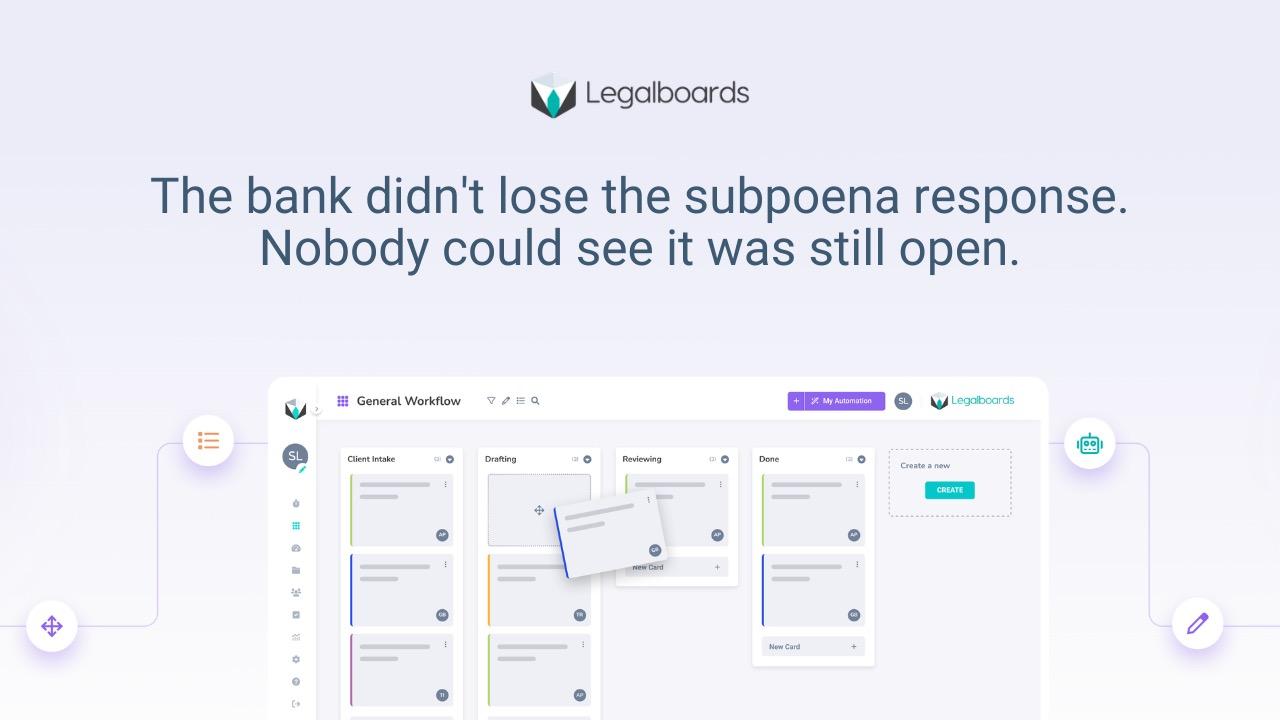
Every active matter sits in a specific, named stage, visible at a glance rather than buried in someone's notes. That's what a visual board gives a firm that a spreadsheet or an inbox never can, and it's also why kanban-style thinking keeps showing up in legal operations even outside the software conversation. Improving Legal Workflows with Kanban and Agile covers where that framework fits and where it doesn't for legal work specifically.
Each stage has one named owner, not a rotating cast of whoever picks it up. And stalls surface on their own. A matter that hasn't moved in days gets flagged before it becomes a missed deadline, not after.
The other place this shows up is billing. When a matter moves to closed, that's a trigger too, not just an end state, kicking off the final billing review instead of waiting for someone to remember it's time to invoice. Mastering Legal Time Tracking: How the Right Billing Software Can Transform Your Practice covers the billing side of that connection directly.
Firms that get this right aren't running more software than everyone else. They're running the software they already have with actual structure underneath it. The Rise of Legal Automation: Streamlining Workflows for Efficiency and Growth and Optimizing Law Firm Operations with Workflow and Automation both cover what that looks like at firms further along in the process than "we just started."
See How This Works in Legalboards
Reading about workflow automation only gets you so far. The faster way to understand it is to see a matter actually move through defined stages with triggers firing behind it, instead of a person pushing it forward by hand.
See how this works in Legalboards, including how stages, triggers, and task chains get set up without code.
Practical Takeaways
- Workflow automation is a layer on top of your case management system, not a replacement for it. Case management stores facts. Workflow moves work.
- You can't automate a process that was never defined as a sequence of stages with named owners. That step comes before any tool decision.
- Task automation and workflow automation solve different problems. One helps a person move faster. The other removes the need for a person to coordinate at all.
- The most valuable automations aren't single reminders. They're chains, where one event triggers several downstream actions without manual re-entry.
- Coordination overhead is invisible until you start counting it. Status updates, follow-up chasing, and manual handoffs rarely show up on an invoice, but they show up in a paralegal's week.
Frequently Asked Questions
What's the difference between task automation and workflow automation?
Task automation handles individual actions, like reminders, templates, and generated documents. Workflow automation defines how work moves between stages, who owns each step, and what triggers the next action automatically. Task automation helps one person. Workflow automation coordinates the matter.
Does workflow automation replace my paralegals?
No. It removes the coordination burden, the manual handoffs, status updates, and follow-up emails, so paralegals can spend more of their time on substantive legal work instead of managing logistics between people.
What is task chain automation for law firms?
It links a sequence of actions together so finishing one step automatically starts the next. A signed engagement letter can create a checklist, send a document request, and set a deadline, all without anyone re-entering the same information three times.
Does workflow automation replace my case management software?
No. Case management stores the facts of a matter. Workflow automation sits on top of it and handles movement, ownership, and triggers between stages. Most firms run both, with workflow automation connected to whatever case management system they already use.
Where should a small firm start with workflow automation?
With one workflow, not the whole firm. Map the stages for a single matter type, like intake through case opening, define who owns each stage, and automate the handoffs between them before expanding to other practice areas.