A new client signs with your firm. The paralegal enters their information in the intake form, then again in the practice management system, then again for billing, then emails the details to whoever is opening the file. By Friday, someone is working off a version that is already out of date. This is what workflow automation for small law firms is supposed to fix, and most firms do not need new software to do it.
Why Do Small Law Firms Have an Execution Gap?
Small firms have an execution gap because their tools were added one at a time, without anyone designing how work should move between them. Each system does its own job well. None of them know what the others are doing, so a human has to carry information across the gap manually, every time.
The result is not a tooling problem. It is a missing layer. A firm can have a capable case management system, a solid billing tool, and a functional intake form, and still lose hours a week because nothing connects what happens between them.
Summary: The execution gap is the space between tools, not a flaw in any single tool. Closing it means designing what happens at the handoff, not replacing the software.
Where the Re-Entry Actually Happens
Here is what that gap looks like on an ordinary Tuesday. A paralegal at a 12-person firm finishes an intake call and logs the client in the intake form. She then opens Clio to create the matter, re-typing the same name, contact details, and case type. She emails the file-opening checklist to a colleague, who manually adds the client to the billing system. By the time the file is fully set up, the same five data points have been typed four separate times by two different people.
Matter ID standardization means using the same identifying format for a matter across every system the firm touches, even when those systems do not talk to each other. Without it, even a human cross-referencing two systems has to guess whether two records refer to the same case.
A few signs a firm has this gap:
- The same client data gets typed into more than one system by more than one person.
- No one can answer "what's the status of the Smith matter" in under a minute without checking multiple places.
- Billing reconstructs time from memory on Friday instead of capturing it as work happens.
- Tasks get assigned by email or verbally, with no shared record of who owns what.
Closing this kind of gap is what workflow automation actually means in practice: not replacing the tools, but automating the handoff between them so no person has to manually carry data across the gap.
Summary: The re-entry problem shows up at every handoff between systems, and it compounds because no one owns the connection point itself.
What Closes the Gap Without New Software
Firms do not need to rip out their existing stack to fix this. Clio (or MyCase, or PracticePanther) can keep doing what it does well: storing matters, documents, and billing records. What is usually missing is a single, workflow automation layer that sits on top and tells everyone what stage a matter is in and who owns the next step, without anyone re-typing anything to find out.
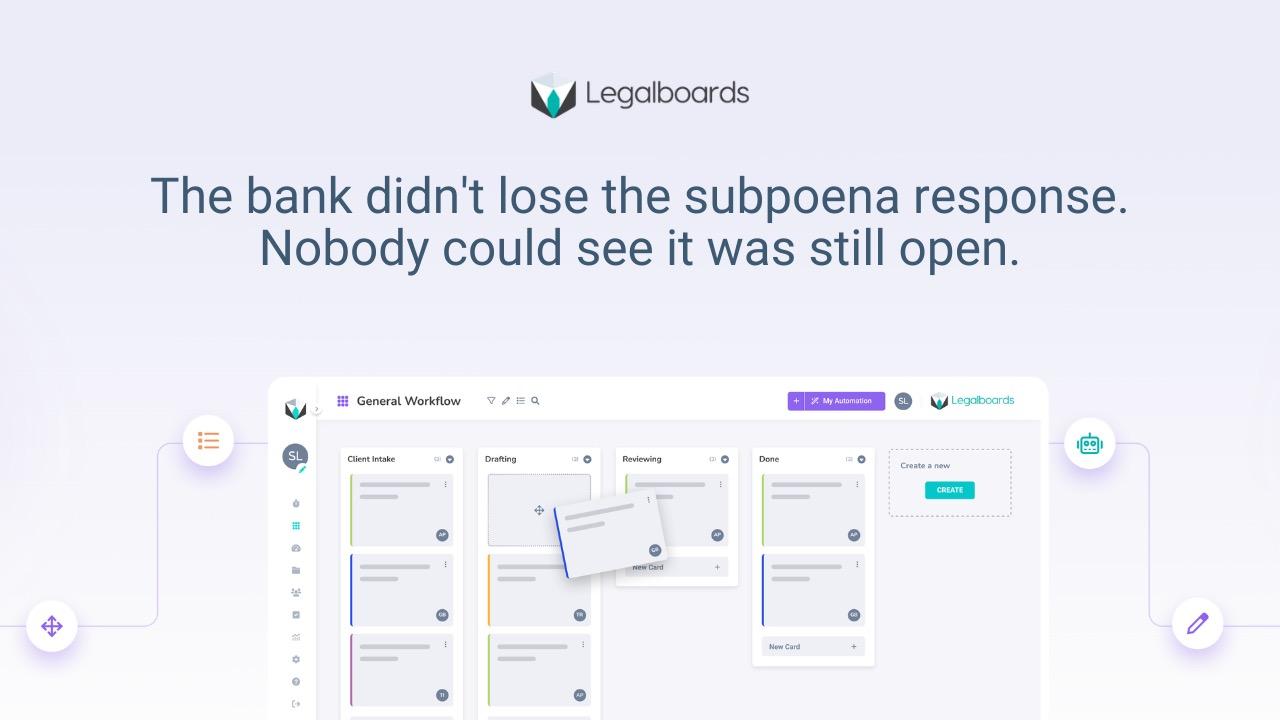
With Legalboards, opening a matter triggers the task sequence automatically: file setup, billing setup, and document checklist all assign to the right person the moment intake closes, instead of getting relayed by email. Clio still stores the matter. Legalboards shows how the work around that matter is actually moving, which is the operational visibility most firms are missing, not a replacement for their case management system.
The firms that close this gap usually start small: they pick one common matter type, map every point where information currently gets typed more than once, and build a single shared task view for that matter type before expanding it firm-wide. A useful first comparison is workflow management versus case management, since the two solve different problems and most firms only have one of them in place.
Summary: The fix is a connective layer, not a new system of record. Clio remains where matters live; the workflow layer is what tells people where the work stands.
What This Gap Actually Costs the Firm
Re-entry and reconstruction are not just annoying. They are unbilled time. A paralegal who spends 20 minutes a day re-entering client data across three systems loses roughly 80 hours a year, none of which appears on an invoice. That time comes directly out of non-billable hours the firm is already trying to reduce.
The American Bar Association's Legal Technology Survey has repeatedly found that administrative and duplicate data entry are among the most commonly cited drains on lawyer and staff time at small firms, ahead of more visible problems like client communication. A case study with Goldberg Osborne showed a similar pattern: once handoffs were automated, staff stopped reconstructing matter status from memory, and the time saved moved directly into billable work.
Summary: Duplicate data entry is a quiet cost that does not show up as a line item, but it consistently shows up in lost billable hours once a firm starts measuring it.
Frequently asked questions
Why does my law firm keep entering the same client information twice?
This happens because separate systems, like intake forms, case management, and billing, do not share information automatically. Someone has to manually carry the data from one to the next, and that handoff is where duplicate entry and outdated information both start.
Do I need to replace my case management system to fix this?
No. Most firms can fix the execution gap by adding a workflow layer that connects existing tools, rather than replacing any of them. Clio, MyCase, or PracticePanther can stay exactly as they are while a connective layer handles task handoffs.
What is the difference between workflow automation and practice management software?
Practice management software, like Clio, stores matters, documents, and billing. Workflow automation focuses on how tasks move between people and systems, triggering the next step automatically instead of relying on someone to remember or relay it manually.
How much time do small firms actually lose to duplicate data entry?
Estimates vary by firm size and process, but even 15 to 20 minutes a day per staff member adds up to dozens of unbilled hours a year. The Legal Trends Report and ABA technology surveys consistently flag administrative duplication as a top time drain at small firms.
Can Legalboards work alongside Clio instead of replacing it?
Yes. Clio remains the system of record for matters, documents, and billing. Legalboards adds a visible workflow layer that shows where work stands and automates the handoffs between stages, without requiring the firm to migrate any existing data.
What is the first step to closing the execution gap at a small firm?
Map one common matter type from open to close and note every place the same information gets typed more than once. That map usually reveals the two or three handoffs causing most of the duplicate work, which is where to automate first.
How do I know if my firm has an execution gap versus just being busy?
If staff can describe exactly what they did but cannot quickly answer where a specific matter stands without checking multiple systems, that is an execution gap, not a workload problem. Busy firms with good visibility can still answer that question in under a minute.
See how matters move from intake to close without re-entry at Legalboards → app.legalboards.io/register