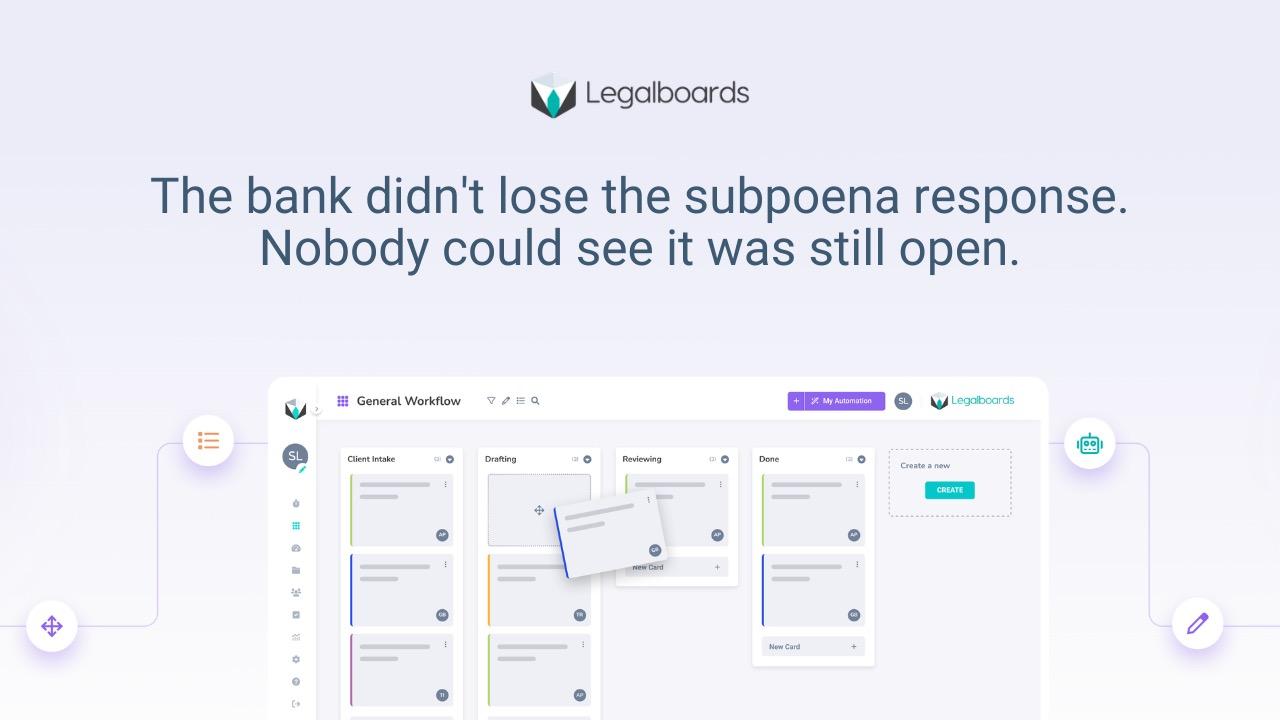

Someone searches "law firm workflow software," and the results are a dozen case management platforms that all use the word "workflow" somewhere on their homepage. None of them actually show whether a matter is moving. That's the gap between what firms are searching for and what most law firm workflow software actually delivers.
Most "workflow software" is case management with a new label
Case management software stores case data: client info, documents, deadlines, billing. It's built to answer "what do we know about this matter." It was never built to answer "is this matter actually moving right now, and who's holding it up." That's the real case management vs workflow management distinction, and most vendors blur it on purpose.
Vendors noticed that "workflow" sells better than "case management" as a category, so a lot of case management platforms now market themselves as workflow software without changing what the product does underneath. The result: firms buy something labeled workflow software, plug it in, and six months later still can't answer "where does this matter stand" without asking a person.
What workflow software actually needs to do
Real workflow software does three things case management alone doesn't.
It shows every matter at a defined stage, not just a status field someone updates when they remember to. It assigns one owner per stage, so a stalled matter has a name attached to it, not a team. And it moves matters forward on triggers, not on someone remembering to click a button.
If a tool can't do those three things, it's a database with reminders, not workflow software, no matter what the marketing page says.
Where firms get burned buying the wrong thing
The most common mistake is buying based on a feature list instead of watching the tool handle an actual matter. A demo full of dashboards and automation rules looks impressive. It doesn't tell you whether a paralegal can look at that dashboard in six weeks and immediately know what's overdue and whose desk it's sitting on.
The second mistake is assuming workflow software has to replace whatever case management system the firm already uses. That's rarely true, and it's usually the reason firms delay evaluating workflow software at all: the switching cost feels too high. Most firms don't need to rip out their existing platform to fix the actual problem, paralegals re-entering the same client data across five systems. They need something layered on top that connects to what's already there.
What to check before you buy
Before signing anything, ask to see a matter move through two or three stages in the demo, not just the setup screen. Ask what happens when a stage sits untouched for a week, does anything surface that, or does it just sit quietly. And ask whether it connects to your existing case management system, or whether "migration" is code for starting over.
If a vendor can't answer those clearly, you're looking at case management with a new label. That's what law firm workflow automation actually looks like when it's built right: structure and movement, not just another place to store the same data.
Frequently asked questions
What's the difference between case management software and workflow software?
Case management software stores information about a matter. Workflow software shows whether the matter is actually moving, who owns the next step, and what's stalled. Many tools marketed as "workflow software" are really case management with different labeling.
Do I need to replace my case management system to get workflow software?
Usually not. Most firms get more value from workflow software that connects to their existing case management platform than from a full replacement, since it avoids the migration cost and keeps staff working in familiar tools.
How do I know if a workflow tool actually works, versus just looks good in a demo?
Ask to see a matter move through several stages, not just the setup screen. Ask what happens when a stage sits untouched. If nothing surfaces that automatically, it's not tracking workflow, it's just storing status.
What should I look for that most case management software doesn't have?
Defined stages with clear ownership, and visibility into what's stalled without anyone having to ask. That's the functional line between case management and real workflow software.
If you're evaluating what actually counts as law firm workflow software versus a case management tool wearing the label, see how Legalboards separates the two → app.legalboards.io/register