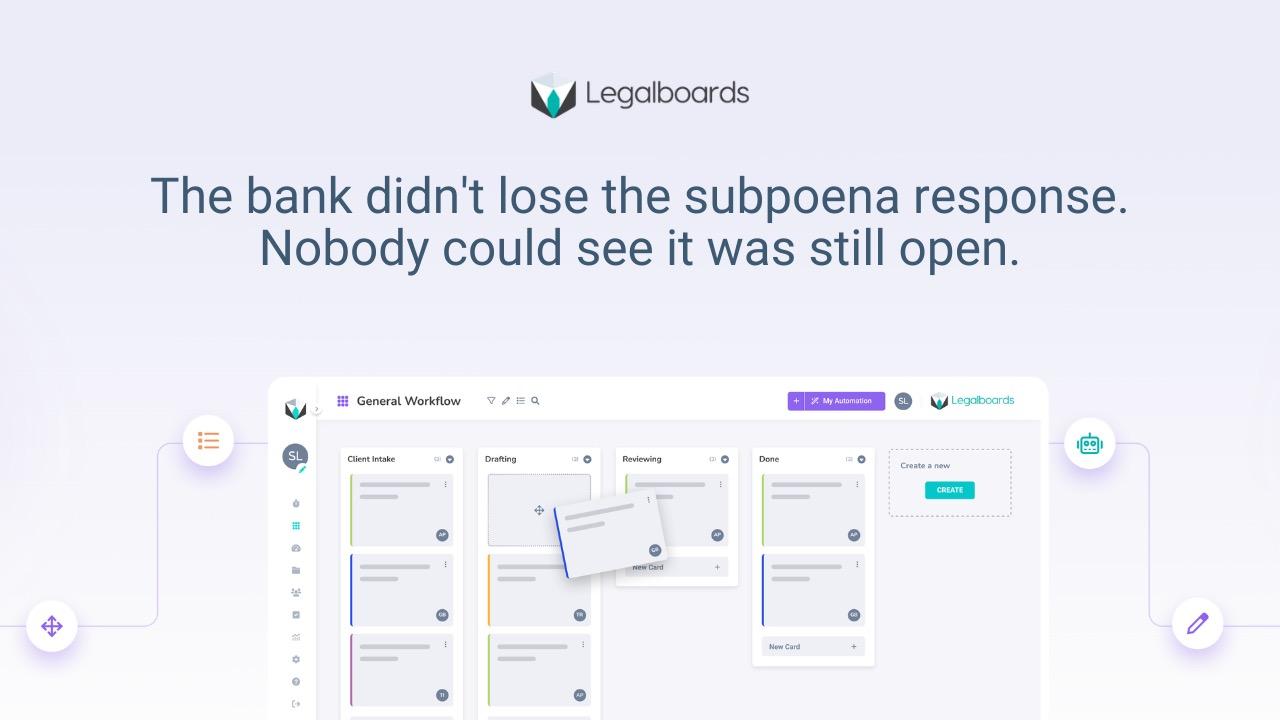

Case management software and workflow management software solve different problems. Case management stores what happened — documents, contacts, deadlines, billing records. Workflow management controls what happens next — who owns the work, what stage it is in, and what triggers when it moves forward. Most law firms have one but not the other.
What case management software does
Tools like Clio, MyCase, and PracticePanther are designed to be the record of a matter. They store client information, documents, court dates, time entries, and billing data. They give every person in the firm a place to find what they need about a case — contacts, notes, history.
That is genuinely valuable. A well-configured case management system removes a significant amount of document chaos from a law firm. Files are in one place. Billing is tracked. Deadlines are calendared. For what it does, it does it well.
Where case management stops
Case management tells you what is in a matter. It does not tell you whether the matter is moving.
It records that a document was uploaded — not whether anyone reviewed it. It shows a deadline on the calendar — not whether the work required before that deadline has started. It stores the matter as open — not whether it has been sitting at the same stage for four days while a partner waits for a draft.
This is not a flaw. Case management is not designed to manage movement. It is designed to manage records. Operational visibility — knowing where work actually is and whether it is stalling — is a different problem that case management systems were not built to solve.
The gap between those two things is where coordination overhead lives, and where most small firm workflow problems originate.
What workflow management adds
Workflow management defines the stages a matter moves through, assigns ownership to each stage, triggers the next step automatically when work is marked complete, and surfaces stalled matters before they become deadline risks.
It does not replace your case management system. It is a layer on top of it. Your matter records stay in Clio or MyCase. For office managers tracking who owns what across a full caseload, the workflow layer is what makes that visible — not the case record itself.
The distinction that matters: case management answers "what is in this matter?" Workflow management answers "what needs to happen next, who owns it, and is it moving?"
A side-by-side comparison
What case management handles:
- Matter and client records
- Document storage and version history
- Billing and time tracking
- Court date calendaring
- Contact management
What workflow management handles:
- Stage-based matter progression
- Ownership assignment per step
- Automatic handoff triggers
- Stall detection and flagging
- Firm-wide workload visibility
These are complementary functions. A firm running both has records and movement. A firm running only case management has records — and relies on email, memory, and manual follow-up to make the work move.
Do you need both?
If your firm wants both reliable record-keeping and operational control over how work moves, yes.
Most firms start with case management because it solves the most visible problem first — document chaos, billing gaps, contact management. Workflow management becomes necessary when coordination overhead becomes too expensive to ignore: status meetings that exist because nobody knows where things stand, follow-up emails that are part of every workflow, deadlines that get close faster than expected.
For managing partners trying to see across the full caseload, the signal is simple: if you need to ask people where things are, you need the second layer. The case management system cannot tell you. It was not designed to.
How Legalboards fits on top of your case management system
Legalboards is built to be the law firm workflow automation layer that sits alongside your existing tools. Your cases stay in Clio or MyCase. The Clio integration pulls matter data into Legalboards so work can be routed, staged, and tracked without duplicating your records. Nothing moves out of your case management system — Legalboards adds the structure around how the work moves forward.
The result is that your case management system keeps doing what it does well, and the gaps it was never designed to fill — stage visibility, automatic handoffs, stall detection — are handled by a layer built specifically for that problem.
Frequently asked questions
Does Legalboards replace Clio or MyCase?
No. Legalboards is designed to work alongside your case management system, not replace it. Your matter records, billing, documents, and contacts stay in Clio or MyCase. Legalboards adds the workflow layer on top — stage tracking, ownership, automatic handoffs, and visibility into where work is across all active matters.
Can I use workflow management without changing my case management system?
Yes. Workflow management and case management handle different functions. You do not need to migrate data or change how your team uses Clio or MyCase. The workflow layer runs alongside it.
What data moves between Clio and Legalboards?
The Clio integration pulls matter data — matter name, client, assigned staff, and relevant dates — into Legalboards so new matters can be routed to the right workflow automatically. Time entries and billing stay in Clio. The integration is designed to reduce duplication, not create it.
Is workflow management worth it for a firm of 5 to 10 people?
Yes — often more so than in larger firms, where dedicated operations staff absorb coordination overhead manually. In a 5 to 10 person firm, every hour spent on status emails and manual handoffs is an hour a paralegal or attorney is not spending on billable work. The coordination cost per person is higher, and the fix is the same.
What is the difference between workflow management and legal project management?
Legal project management typically refers to matter-level planning — scoping, budgeting, and managing the delivery of a specific legal engagement. Workflow management is operational infrastructure — the repeatable system that defines how all matters of a given type move through your firm. One is a planning discipline. The other is a firm-wide structural layer.
If you are ready to explore what the workflow layer looks like in practice, the law firm workflow automation overview covers how firms typically structure it and where to start.