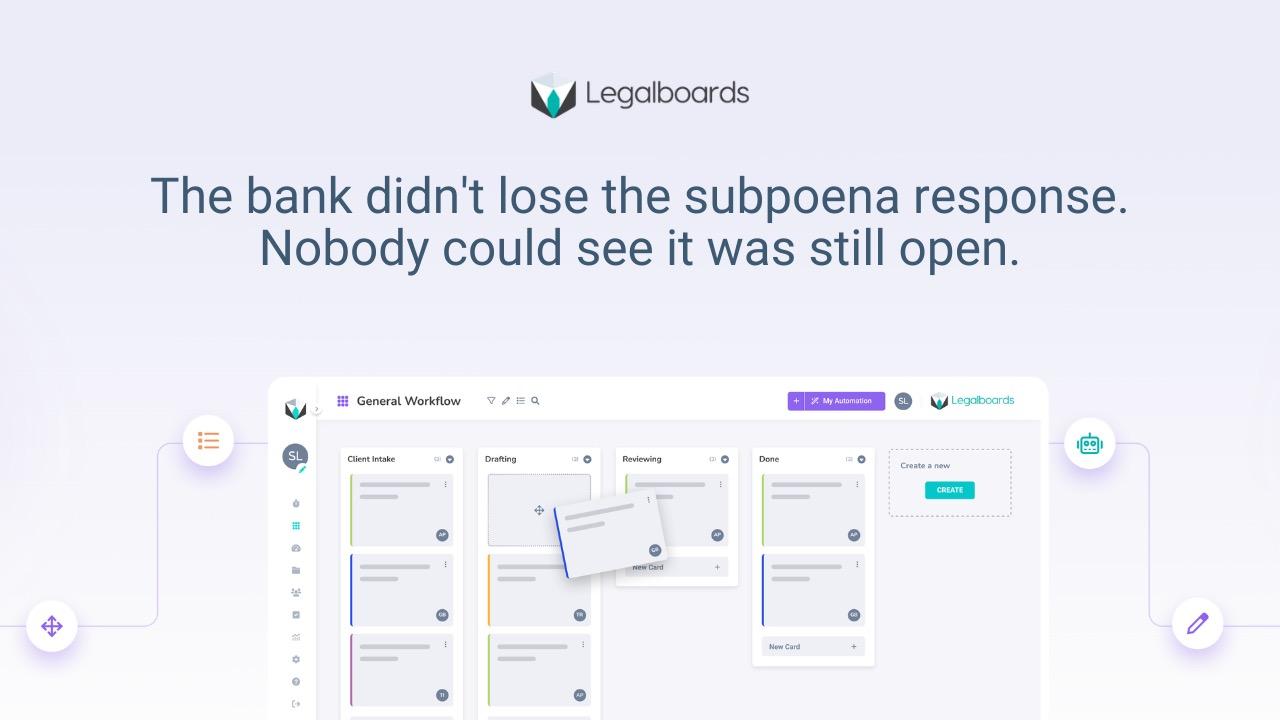

Most firms searching "Legalboards vs Clio" assume they're choosing between two competing platforms. They're usually not. Clio manages the case. Legalboards manages whether the work behind it is actually moving. Most firms running both didn't switch from one to the other, they added the second on top of the first.
What Clio actually does well
Clio is built to be the system of record for a matter: client information, documents, billing, trust accounting, calendaring. For firms that need a reliable place to store everything about a case and bill accurately against it, that's a real strength, and it's why so many small and mid-sized firms already run on it.
Where Clio wasn't built to help is showing whether a matter is actually progressing. It can hold a deadline. It can't tell you whether the work behind that deadline has started, stalled, or is sitting in someone's inbox waiting on review.
Where Clio stops
This isn't a knock on Clio specifically, it's true of most case management platforms, because case management and workflow management solve different problems. Case management vs workflow management is the actual distinction firms are groping toward when they search for a Clio alternative: they don't need a different place to store case data, they need a way to see whether work is moving through the stages it's supposed to.
Clio can tell you a filing is due Friday. It can't tell you the brief behind that filing hasn't been touched since Tuesday. That gap is exactly where law firm deadline tracking built at the workflow level, not the calendar level, becomes the missing piece.
What actually changes, day to day
Take a mid-size litigation matter with a filing due in ten days. In a Clio-only setup, that deadline sits on the calendar, visible to whoever checks it, but nothing shows whether the underlying brief is drafted, half-drafted, or untouched. The attorney assumes it's moving because nobody's raised a flag. Three days before the deadline, it turns out the brief was waiting on a partner's review that never got assigned to anyone specifically, and now it's a scramble.
With a workflow layer added on top, that same matter shows its actual stage the whole time, drafting, internal review, ready to file, not just the due date. If it sits in "awaiting review" for more than a couple of days, that surfaces on its own instead of waiting for someone to notice three days out. Clio still holds the deadline, the client data, and the billing. The workflow layer is what turns "due Friday" into "on track" or "at risk," days before it would otherwise become a scramble.
What changes when workflow sits on top of case management
Firms that add Legalboards to an existing Clio setup keep their system of record exactly as it is: client data, billing, documents, all untouched. What changes is a layer on top that shows every matter's actual stage, who owns the next step, and what's stalled, connected to the Clio data instead of duplicating it. Adding Legalboards to a Clio account doesn't mean re-entering client information or retraining staff on a new system of record, and the setup itself takes less time than most firms expect. It means the firm finally has an answer to "is this actually moving" that Clio alone was never built to give.
How firms actually make this decision
The firms that end up switching platforms entirely are usually the ones whose case management setup itself is the problem, disorganized data, poor billing accuracy, weak document handling. If that's not the issue, and for most firms evaluating "Legalboards vs Clio," it isn't, the better question isn't which platform to choose. It's what to add to the one you already have so work stops stalling silently between stages.
Worth asking directly before deciding either way: is the frustration about where data lives, or about not knowing whether work is moving? Those are different problems with different fixes, and conflating them is usually what sends firms looking at a full platform switch when a workflow layer would have solved it in a fraction of the time.
A useful gut check: if the complaint is "I can never find the right version of a document" or "our billing is a mess," that's a case management problem, and it's worth evaluating platforms on that basis. If the complaint is "I don't know why this matter is behind" or "I only find out something's stalled when a client calls," that's a workflow problem, and switching case management platforms won't fix it. A different system of record still won't tell you whether the work behind a deadline has started.
Frequently asked questions
Do firms need to replace Clio to use Legalboards?
No. Most firms connect Legalboards to their existing Clio account rather than replacing it. Clio stays the system of record for client data and billing; Legalboards adds visibility into whether matters are actually moving.
What does Clio not show that workflow software does?
Clio shows what's due and stores case information. It doesn't show whether the work behind a deadline is progressing, who's holding it up, or which matters have quietly stalled. That's a workflow visibility gap, not a data gap.
When does it make sense to switch platforms entirely instead of adding workflow on top?
When the case management system itself is the problem, disorganized data, weak billing, poor document handling. If the core system works fine and the gap is visibility into work movement, adding a workflow layer usually makes more sense than a full switch.
Is this the same question as "case management vs workflow management"?
Largely, yes. Firms searching "Legalboards vs Clio" are often really asking whether they need a different case management system, when the actual gap is a workflow layer case management was never designed to provide.
How long does it take to connect Legalboards to an existing Clio account?
Setup connects to the account you already have rather than requiring a data migration, so most firms are running with both systems in place faster than a typical case management switch would take.
If your firm already runs on Clio and still can't answer "is this actually moving" without asking someone, see how Legalboards connects to your existing setup → app.legalboards.io/register