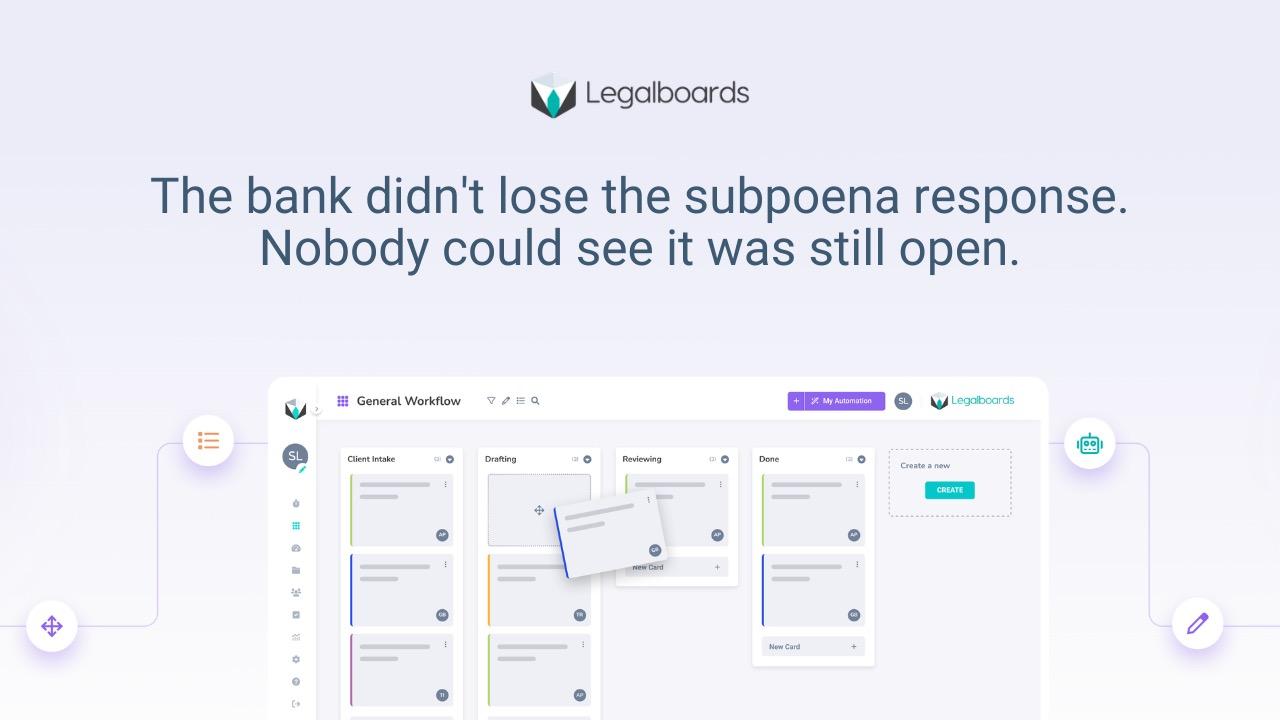
Visibility does not mean more reporting. It means anyone can look at a case and know where it stands, without pulling someone off their work to ask. That is the bar for case visibility law firm teams should actually be building toward, and most firms are further from it than their case management system's dashboard suggests.
What "Visible" Actually Means
Visible status has four parts: the stage the case is in, the next action, who owns that action, and what is overdue. All four should be readable at a glance, not buried in free-text notes or reconstructed from an export nobody opens until someone asks for it.
Most firms have some version of this information somewhere. The problem is that it is scattered across notes, emails, and memory, which means getting a current picture requires someone to assemble it on demand, which is exactly the status-meeting problem covered in the Monday status meeting your firm shouldn't need, in a different form.
Where Firms Get This Wrong
The common mistake is buying a case management system for storage, documents, billing, contact records, and expecting it to double as a status dashboard. Storage and visibility are different jobs. A system can hold every document related to a matter and still tell you nothing about what stage that matter is in or who is supposed to move it forward next.
This is why firms with a full-featured case management platform still run status meetings. The platform holds the case file. It was never built to answer "where does this stand right now" at a glance, so the firm falls back on people saying it out loud. The distinction between the two jobs is covered in more depth in case management versus workflow management, which is worth reading if your firm is trying to decide whether a new tool is actually needed or whether the workflow layer is what's missing.
What This Looks Like Day to Day
Picture a paralegal opening the firm's system on a Tuesday morning. Instead of scanning old emails or pinging a colleague, she sees every open matter she is responsible for, each one showing its current stage, what needs to happen next, and whether anything is overdue. A partner glancing at the same board before a client call sees the same picture without needing to interrupt anyone. This is the same underlying idea behind case tracking software improving law firm client communication: when status is visible internally, communicating it externally stops being a scramble.
What to Build Instead
The fix is a workflow view per case that shows stage and owner as the case actually moves, not as someone remembers to update a field after the fact. This means status updates as a side effect of doing the work, moving a task, closing a stage, reassigning an owner, rather than a separate reporting step someone has to remember to do.
This is not about adding another tool for its own sake. It is about making sure the four things that matter, stage, next action, owner, overdue status, are visible without anyone having to ask or assemble them manually.
Rollout for a Small Team
Start with one practice area or case type rather than trying to convert every open matter at once. Map its typical stages, put every open matter in that area on the board, and see what it looks like when status is visible without a meeting.
After thirty days, try canceling the standing status meeting for that group and see what actually breaks. If the answer is nothing, the meeting was compensating for a visibility gap that the board has now closed. If something does break, that gap tells you exactly what still needs to be made visible. If you want a side-by-side sense of how Legalboards' approach compares to other tools on this specific point, our comparison page walks through it directly.
Legalboards gives each case a workflow view showing stage, next action, and owner as work actually moves, so status is current without anyone stopping to update a separate report.
The goal is not a fancier report. It is a firm where nobody has to ask.
Frequently asked questions
What does real-time case visibility actually mean?
It means anyone who needs to know where a case stands, stage, next action, owner, and what is overdue, can see it directly, without asking the person handling the case or waiting for a scheduled update.
Isn't this what our case management system already does?
Most case management systems are built for storage: documents, billing, contact records. They often do not show workflow status, which is a separate layer most firms have to build or add on top.
How do we start without disrupting our whole caseload?
Pick one practice area or case type, map its stages, and put its open matters on a visible workflow board. Expand once you see what changes for that group before rolling it out firm-wide.
Will this replace our status meetings entirely?
For many firms it removes the need for meetings whose only purpose was establishing current status. Meetings used for actual discussion or decisions may still be worth keeping.
How does Legalboards make case status visible without extra reporting?
Legalboards shows stage, next action, and owner per case as work moves through the workflow, so status updates as a byproduct of the work itself rather than a separate task someone has to remember to complete.
If your team still assembles case status by asking around, see what it looks like when it's visible by default → app.legalboards.io/register