
Kanban did not start in law firms.
It started on Toyota factory floors in Japan, where engineers needed a simple visual system to track what work was happening, what was waiting, and what was stuck.
The insight was not complicated: if you can see work, you can manage it. If you cannot see it, you are guessing.
That same insight applies directly to how legal work moves inside a small firm.
Most firms have calendars. Most firms have task lists. Most firms have a case management system with client records and deadlines loaded in. But ask anyone on the team where a specific matter actually stands — whether the draft is out for review, whether the client documents have arrived, whether someone has picked up the next step — and the honest answer is often: I would need to check with someone.
That is a visibility problem. And Kanban for lawyers is one of the most practical ways to fix it.
What Kanban Actually Is (and What It Is Not)
Kanban is a visual workflow method. At its core, it uses a board with columns representing stages, and cards representing individual units of work.
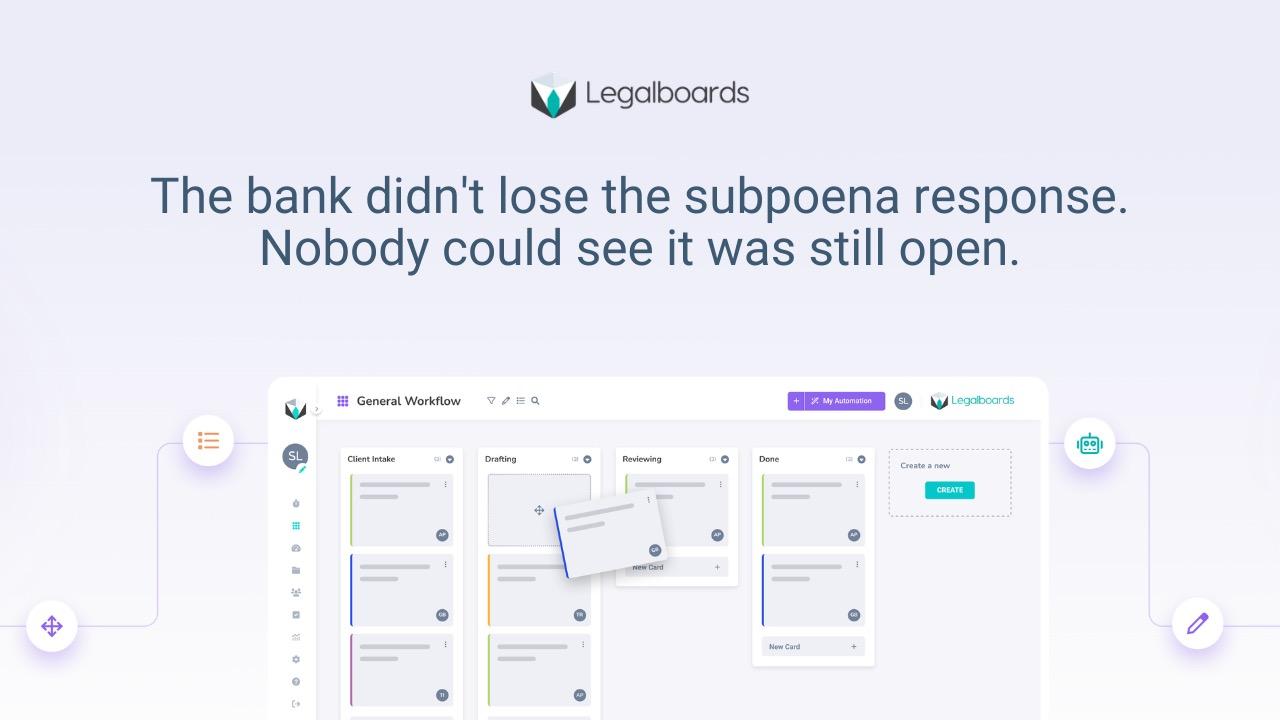
In a law firm, each card is typically a matter. Each column is a workflow stage: Intake, Active, Drafting, Review, Pending Client, Filed, Closed. As a matter progresses, the card moves across the board. Anyone looking at the board can see exactly where every matter stands without asking anyone.
That is it. Kanban is not a project management philosophy. It is not a productivity framework. It is not software. It is a way of making the invisible visible.
What makes it useful for law firms is exactly what makes it useful everywhere: work that is visible can be managed. Work that is invisible accumulates until it becomes urgent.
The Problem Kanban Solves in a Law Firm
Most coordination failures inside a small law firm are not caused by carelessness or lack of effort. They happen because work is scattered.
Status lives in inboxes. Notes live in someone's head. Deadlines sit on a calendar with no indication of whether the work before them has started. A matter can be "open" in the case management system and completely stalled in practice.
The result is predictable: partners ask paralegals for updates. Paralegals check in with associates. Someone spends 20 minutes finding information that should have been visible in 20 seconds. Status meetings exist not to move work forward, but just to find out where things stand.
If you need a meeting to know case status, you do not have visibility. You have a workflow that depends on memory and interruption.
Kanban replaces that dependency with structure. When every matter has a stage, every stage has an owner, and the board is the single source of truth, the coordination overhead largely disappears on its own.
How Law Firm Workflows Map to a Kanban Board
The key to making Kanban work in a legal setting is designing columns that reflect how work actually moves — not how it ideally should move, but how it actually does.
For most practice areas, that means somewhere between five and seven stages per matter type. Too few stages and the board does not tell you enough. Too many stages and the board becomes a burden to maintain.
Here is how a basic estate planning workflow might map to a Kanban board:
Intake → Documents Requested → Documents Received → Drafting → Attorney Review → Client Review → Execution → Filed/Closed
Each of those stages is a real, distinct phase of the work. A matter sitting in "Documents Requested" for three weeks is telling you something. A matter that moved from "Drafting" to "Attorney Review" last Monday and has not moved since is telling you something. That information is only visible if the board reflects the real stages.
This is where most firms get it wrong early. They create generic columns like "In Progress" or "Active" that do not reflect actual movement. A board that shows everything as "Active" is not a workflow board. It is just a list with colors.
For more detail on how to build this structure, see our guide to law firm workflows and where they break.
Kanban Across Practice Areas
The stages vary by practice area, but the principle does not. Work needs to move through defined stages with clear ownership at each step.
Estate Planning
Estate planning matters tend to involve long timelines with concentrated bursts of activity at key milestones. A typical Kanban flow might look like: Intake → Documents Gathering → Review Complete → Drafting → Signing → Filed.
The value of Kanban here is catching the matters that get stuck in document collection. If a matter has been sitting in "Documents Gathering" for 30 days, the board makes that visible. Without the board, it sits quietly until someone eventually notices.
Personal Injury
PI matters move through predictable phases but can stall unpredictably: Intake → Treatment Ongoing → Records Requested → Records Received → Demand Drafted → Demand Sent → Negotiation → Resolution.
The stages between "Records Requested" and "Records Received" are where PI firms most often lose visibility. The request was sent. Someone is waiting. But if that wait is not visible, it does not get followed up until something else prompts it.
Family Law
Family law workflows involve external dependencies that are largely out of the firm's control — court dates, opposing counsel timelines, client decisions. A Kanban board cannot control those, but it can make the firm's internal work visible: Filed → Discovery → Mediation Prep → Hearing Prep → Final Order.
Immigration
Immigration work is heavily document-driven and deadline-sensitive. The ability to see at a glance which cases have outstanding client document requests versus which are ready to file is directly useful, especially when managing 40 or 60 active matters at once.
For more on workflow structure across practice areas, see our overview of law firm deadline tracking and how workflows support it.
The Three Kanban Principles — Applied to Law Firms
1. Start With What You Have
Kanban's first principle is practical: you do not need to redesign everything to start. You map what already exists, make it visible, and then improve from there.
For most firms, this means taking the stages your matters already move through — even informally — and putting them on a board. You are not creating a new process. You are making an existing one visible.
This matters because the biggest barrier to changing how a firm operates is rarely agreement that change is needed. It is the risk of disrupting workflows that are already functioning, however imperfectly. Kanban reduces that risk by working with current reality rather than against it.
2. Commit to Incremental Improvement
Small, consistent changes outperform large, disruptive overhauls. Once a workflow board is in place, the point is to watch it — to notice where work accumulates, where handoffs are slow, where the same matters keep getting stuck at the same stage.
That observation is where the value is. A matter that stalls in "Partner Review" every single time is telling you something about how review is structured. A pattern of client documents arriving late is telling you something about how intake manages document collection.
The board makes patterns visible. Visible patterns can be improved. That is the mechanism.
This connects directly to operational visibility — the ability to see what is actually happening inside your firm without having to ask.
3. Own the Next Step
Every card on a Kanban board should have a single owner at any given time. Not a team. Not "whoever is available." One person who is responsible for the next movement of that matter.
This is often the piece that firms underestimate. The visual structure is important, but ownership is what makes it functional. If a matter is in "Client Review" with no assigned owner, the board is showing you the stage but not giving you accountability. When the client responds, who picks it up?
Defining ownership per stage eliminates the most common source of delay in legal work: the handoff gap where a matter technically belongs to no one because it is between steps.
What a Law Firm Kanban Board Needs to Work
A Kanban board in a legal setting needs four things:
Stages that reflect reality. Column labels should match the actual phases your matters go through, not an idealized version.
One owner per matter per stage. Shared ownership is invisible ownership. Assign specifically.
A way to flag waiting. Work that is waiting on a client, opposing counsel, or court is not the same as work that is in progress. That distinction should be visible on the board.
Consistent updates. A board that is not current is not a board. It is a static artifact. The discipline of keeping matters in the right stage is what gives the board its value.
This is the fundamental difference between Kanban as a method and a Kanban board as a tool. The tool does not create visibility on its own. The discipline of using it consistently does.
For firms thinking about how to reduce the manual coordination burden of maintaining that discipline, see our overview of law firm workflow automation.
What Happens When Kanban Works
When a law firm runs a functioning Kanban workflow, a few things change:
Partners can check the status of any matter without interrupting anyone. They look at the board.
Paralegals know what needs to happen next because the board shows them where each matter is and who owns it. They are not waiting to be told.
Office managers can see workload distribution across the team. They can spot when one person is carrying too much before it becomes a problem.
Status meetings either shorten dramatically or become unnecessary. The board has already answered the questions the meeting would have addressed.
The less obvious change is what happens to the quality of work. When coordination overhead drops — fewer follow-ups, fewer status checks, fewer interruptions — the time and mental energy that was spent on coordination gets redirected to actual legal work.
That is the real operational argument for Kanban in a law firm. It is not about boards for the sake of boards. It is about removing the coordination friction that drains capacity without producing billable output.
For a closer look at how non-billable coordination time accumulates in small firms, see how paralegals and office managers use Legalboards to reduce it.
How Legalboards Uses Kanban for Law Firm Workflows
Legalboards is built on a Kanban-style board interface, designed specifically for small and mid-sized law firms.
Every matter gets a card. Every card moves through workflow stages you define for each practice area. Each stage has a clear owner. The board shows — without asking anyone — where every active matter stands right now.
When a matter stalls, you see it. When a deadline is approaching and the prerequisite work has not moved, you see it. When one paralegal is carrying 40 matters and another is carrying 15, you see it.
The board does not manage work for you. But it gives you the visibility to manage it clearly, without the coordination overhead that slows most small firms down.
---
Frequently Asked Questions
What is Kanban for lawyers?
Kanban for lawyers is a visual workflow method where each matter is represented as a card that moves through defined stages on a board — from intake through to resolution. It gives everyone on the team real-time visibility into where every matter stands without requiring status meetings or direct follow-ups.
Is Kanban the same as project management?
Not exactly. Project management typically involves building detailed plans with timelines, milestones, and resource allocation. Kanban is simpler: it tracks what stage work is in right now and makes bottlenecks visible. For law firms, Kanban is usually more practical because legal work is less predictable than a project with a fixed scope.
How many stages should a law firm Kanban board have?
Most practice areas work well with five to seven stages. Too few stages make the board uninformative. Too many stages make it burdensome to maintain. The right number reflects how your work actually moves — each stage should represent a distinct phase with a clear owner and a clear definition of what it means for work to be there.
Can Kanban work alongside our existing case management software?
Yes. Case management software handles client records, documents, billing, and communication. Kanban handles workflow visibility — where each matter is in the process, who owns the next step, and what is stalled. They serve different purposes and work well together. Legalboards integrates with Clio, PracticePanther, and MyCase.
Why do law firms stick with spreadsheets instead of Kanban boards?
Spreadsheets are familiar and low-friction to start. The problem is that a spreadsheet does not show movement. It shows a snapshot that is only accurate when someone has recently updated it. A Kanban board, maintained consistently, shows current state at a glance. Most firms switch when the coordination overhead of keeping a spreadsheet accurate becomes more time-consuming than the alternative.
What is the difference between Kanban and a to-do list?
A to-do list tracks tasks. Kanban tracks the movement of work through stages. A to-do list tells you what needs to be done. A Kanban board tells you where every matter is in the process, who owns the next step, and where work is stalled. They answer different questions.
How does Kanban help with legal deadlines?
Kanban does not replace deadline tracking, but it supports it. When you can see that a matter is still in "Documents Gathering" two weeks before a filing deadline, you know the work has not reached the stage it needs to be at. The board makes the relationship between current status and upcoming deadlines visible in a way that a calendar alone cannot.
---
Want to see how Kanban works inside Legalboards?
Book a free demo and we will walk you through how to set up your first workflow board for your practice area — typically in under 30 minutes.