Most conversations about legal operations problems start with the wrong diagnosis.
Firms list their challenges: too many emails, missed deadlines, status updates that take forever to get, work that falls through the cracks. Then they go looking for tools to fix those symptoms.
What they rarely do is ask why those things are happening.
The answer, in almost every small and mid-sized law firm, is the same: work is not structured. It moves through the firm informally, through memory and habit and whoever happens to ask first. When someone is out, when a matter gets busy, when two deadlines land on the same week, the informal system breaks.
The problems firms experience are real. But the cause is structural, not circumstantial. And that distinction matters because it determines whether technology actually helps or just adds another layer to manage.
The Challenge Is Not Workload. It Is Workflow.
Small firms tend to attribute operational problems to being busy. Too many cases. Not enough staff. Not enough hours.
But most operational breakdowns do not happen because of volume. They happen because of how work moves — or fails to move — between people.
A matter sits in a paralegal's queue waiting for a document that was requested two weeks ago. No one is following up because no one knows it is waiting. A draft goes to a partner for review. A week passes. The paralegal does not follow up because they do not want to seem like they are nagging. The matter stalls.
These are not workload problems. They are handoff problems. And they are caused by the same thing: there is no visible structure connecting the work to the person responsible for the next step.
When that structure is missing, work runs on memory and follow-up. And memory and follow-up are expensive. They consume paralegal time, partner attention, and coordination overhead that never shows up on a timesheet but is very real in its cost.
For a closer look at how this plays out across specific workflow stages, see our overview of how law firm workflows work and where they break.
Challenge 1: Work Becomes Invisible Between Steps
The single most common operational failure in a small law firm is not a missed deadline. It is work that no one can see.
Ask anyone in a firm where a specific matter stands and the honest answer is often: "I would need to check." That answer, repeated across dozens of active matters, is the operational problem. Status lives in someone's head. Or in an inbox. Or in a note from a meeting three weeks ago.
Case management software stores documents and records deadlines. But it does not show you whether the work before the deadline is moving. A matter can be "active" in the system and completely stalled in practice.
This is the visibility gap. And it is not fixed by checking in more often. It is fixed by building a system where every matter has a visible stage, a clear owner, and a defined next step — so that stalled work is obvious without anyone having to ask.
Operational visibility is what that looks like in practice. Not dashboards for the sake of dashboards. But a structured view of where every matter is, who owns it right now, and what is waiting.
Challenge 2: Deadlines Get Tracked But Work Does Not
Law firms are good at recording deadlines. Court dates, filing deadlines, statute of limitations — all of it goes on the calendar.
What most firms do not track is the work that has to happen before those deadlines. The document that needs to come in. The draft that needs to go out. The review that needs to happen before the filing can move.
A calendar tells you when something is due. It does not tell you whether the work is on track.
This is why deadline anxiety is so pervasive in small firms — especially for paralegals and office managers who are carrying the mental load of tracking not just the dates but the tasks behind them. A deadline approaching with prerequisite work unfinished is a different problem than a deadline approaching with everything in order. But a calendar treats both situations identically.
Structured workflows change that. When every matter moves through defined stages — and when it is visible which stage each matter is actually in — deadlines stop being surprises. The board shows you whether the work is moving. If a matter is three stages away from ready with two weeks until the deadline, you know that now, not the day before.
For more on the relationship between workflows and deadline management, see why law firm deadline tracking requires more than a calendar.
Challenge 3: Coordination Overhead Consumes Non-Billable Time
One of the least visible costs in a small law firm is the time spent coordinating rather than doing legal work.
Status meetings. Follow-up emails to find out where something stands. Check-ins to confirm a task was picked up. Reminders that were forgotten. Handoffs that happened informally and then got lost.
None of this time appears on a timesheet. But it adds up. Research on small professional services firms consistently shows that 30 to 40 percent of staff capacity can be consumed by coordination rather than productive work. For a firm billing hourly, that is significant revenue leakage — not from laziness or incompetence, but from the overhead of running work through informal systems.
The mechanism matters here. When every piece of information about a matter's status requires a conversation to retrieve, everyone becomes an information bottleneck. Partners interrupt paralegals. Paralegals track down associates. Associates check their notes. Everyone loses time.
When status is visible without asking, that coordination overhead disappears. Not some of it. Most of it.
This is one of the clearest arguments for law firm workflow automation — not to automate complex legal judgment, but to automate the coordination layer. Task assignments that happen automatically when a matter moves to a new stage. Follow-up reminders that trigger if work has not moved in a set number of days. Client notifications that go out when milestones are hit. The repetitive, predictable parts of coordination should not depend on anyone's memory.
Challenge 4: Handoffs Are Where Work Dies
The most dangerous moment in any matter is when it changes hands.
A file moves from intake to the assigned paralegal. A draft moves from the paralegal to the partner for review. A signed document moves to the client for execution. Each of those transitions is a point where work can stall — not because anyone dropped the ball intentionally, but because the handoff was informal and the next owner did not know they had it.
This is such a consistent failure point that it has its own name in operations: the handoff gap. Work technically belongs to someone but practically belongs to no one, because the transition was not explicit.
Fixing handoff gaps requires defining them. Who owns each stage of a matter? What does it mean for work to move from one stage to the next? When ownership changes, how does the new owner know?
These are structural questions, not tool questions. But the right tool makes the structure visible and enforceable. When a matter moves stages on a workflow board, the new owner sees it. Nothing falls in the gap because the gap does not exist.
For paralegals managing dozens of active matters across multiple attorneys, the clarity of defined ownership is not a minor quality-of-life improvement. It is the difference between a manageable workload and a constantly reactive one. See how this plays out in workflow tools built for paralegals.
Challenge 5: Adoption Fails When Tools Add Work Instead of Removing It
Legal tech adoption rates are poor, and the reason is usually the same: the tool requires more work than the problem it was supposed to solve.
A system that needs to be updated constantly, maintained manually, or trained into everyone's habits before it becomes useful is a system that will get abandoned. Paralegals and office managers — the people who carry most of the operational burden in small firms — do not have time for tools that create overhead in the name of reducing it.
The right workflow system reduces friction by being the natural home for work that already needs to happen. Matter stages need to be tracked anyway. Ownership needs to be clear anyway. Deadlines need to be visible anyway. A tool that captures all of that in the flow of work — not as an additional layer on top of it — is the one that actually gets used.
This is why ease of setup and integration with existing tools matters practically, not just as a sales point. If the workflow software does not connect with where client records already live — Clio, PracticePanther, MyCase — staff are managing two systems instead of one. That kills adoption faster than anything else.
It is also why starting simple beats starting comprehensive. Define five to seven stages for one practice area. Get the team using one board before expanding to all matter types. Incremental adoption with visible early results builds the muscle faster than a full-firm rollout on day one.
For a look at how firms approach this transition, see our guide to getting started with Kanban for lawyers.
What Operational Health Actually Looks Like
A firm with healthy legal operations does not necessarily have more staff, better technology, or higher capacity. It has better structure.
Partners can check the status of any active matter without interrupting anyone. Paralegals know what needs to happen next across their entire caseload because the workflow board tells them. Office managers can see workload distribution and identify when someone is over capacity before it becomes a crisis.
Status meetings get shorter because the board has already answered the questions those meetings were called to address. Follow-up emails drop because automation handles the reminders that used to live in someone's head. Work moves forward without someone having to push it every step of the way.
That is not an idealized version of a law firm. It is what happens when workflows are structured and visible rather than informal and fragmented.
The good news is that most small firms are closer to that state than they think. The work already happens — it just happens without a clear structure connecting each step. Adding that structure, starting with one practice area and expanding from there, is usually faster and less disruptive than firms expect.
How Legalboards Addresses These Challenges
Legalboards is built specifically for small and mid-sized law firms — the ones that need operational structure but do not have a full-time operations staff to build it.
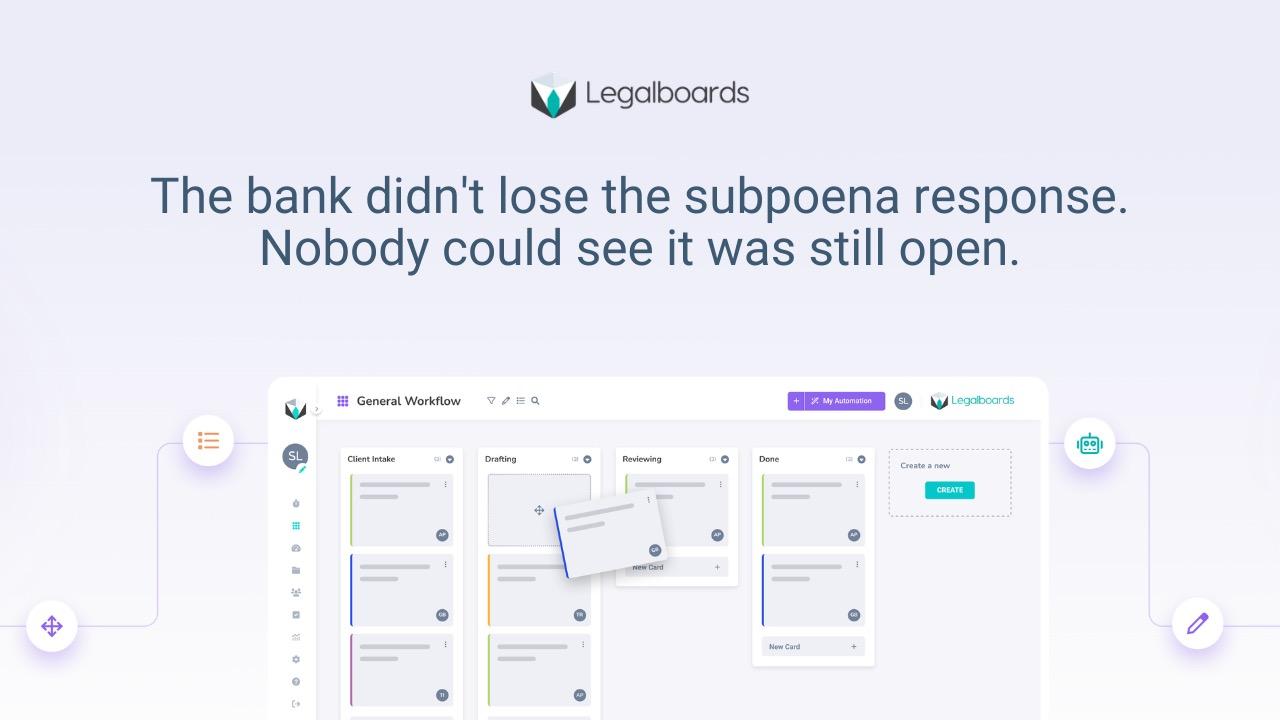
Every matter gets a workflow board with defined stages and clear ownership. Automation handles the repetitive coordination layer: task assignments, follow-up reminders, client notifications. The visibility layer shows partners and office managers where every matter is across the whole firm, without anyone having to update a spreadsheet or send a status email.
The result is fewer follow-ups, less coordination overhead, and more time available for work that actually advances client matters.
If you want to see how it works in practice, book a free demo and we will walk through your firm's specific workflow and show you what structure would look like from day one.
---
Frequently Asked Questions
What are the most common operational challenges in small law firms?
The most consistent ones are: work that becomes invisible between steps, deadlines that are recorded but not tracked against actual progress, coordination overhead that consumes non-billable time, unclear handoffs where work stalls between people, and technology adoption that fails because tools add friction instead of removing it. All of these trace back to the same root cause: work moves through the firm informally rather than through a defined structure.
Why do law firms miss deadlines even when they use a calendar?
Calendars track when something is due. They do not track whether the work required to meet the deadline is actually progressing. A matter can be on the calendar and completely stalled in practice. Workflow-based deadline tracking connects dates to the actual stage of work, so you can see whether a matter is on track — not just when it is due.
What is the difference between operational visibility and case management?
Case management software organizes client records, documents, and billing. Operational visibility is the ability to see — without asking anyone — what stage every active matter is in, who owns the next step, and where work is stalled. Most case management tools answer: "What is in the file?" Operational visibility answers: "Is the work actually moving?"
How much non-billable time does coordination overhead consume?
Estimates vary, but research on small professional services firms consistently points to 30 to 40 percent of staff time being consumed by coordination rather than substantive work. Status checks, follow-up emails, handoff reminders, and manual task assignments are the primary drivers. Structured workflows and automation reduce most of this without requiring additional headcount.
What is a handoff gap and how does it hurt a law firm?
A handoff gap is the period between when work leaves one person's responsibility and when the next person picks it up. In informal systems, this transition is often not explicit — which means work can sit unattended between steps with no one aware it has stalled. Defined workflow stages with explicit ownership eliminate the handoff gap by making every transition visible.
How do small firms start improving their legal operations without a big implementation?
Start with one practice area. Define five to seven stages that reflect how your matters actually move. Assign one owner per stage. Use a workflow board to make the current state of every matter visible. Get the team running one board consistently before expanding to other matter types. Incremental adoption produces visible results quickly, which builds commitment for broader rollout.
Does workflow software replace practice management or case management tools?
No. They serve different purposes and work well together. Case management handles client records, documents, time tracking, and billing. Workflow software handles how work moves between people — stages, ownership, handoffs, and visibility into status. Legalboards integrates with Clio, PracticePanther, and MyCase so both layers work from the same data.