
Applying Agile to Legal Practices
Lesson 3: Build Your First Kanban Board in Legalboards
https://youtu.be/5Aq17FOL9t8
Getting Started: Build Your First Kanban Board in Legalboards
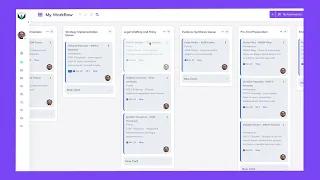
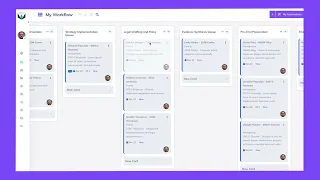
John explained the theory—now see it in action. In this hands-on lesson you’ll create a brand-new board that mirrors the workflow your firm already uses. No process overhaul required; you’ll simply translate what’s in your head (or spreadsheet) into visual columns inside Legalboards.
Key Points & Steps
-
Begin with What You Have
-
Map today’s real-world stages; don’t design an idealized future process yet.
-
-
Board = Canvas
-
Each column represents one existing stage (e.g., Intake → Drafting → Client Review → Filed).
-
-
Name Columns in Seconds
-
Live demo shows creating, renaming, and re-ordering columns to match your flow.
-
-
Template vs. From-Scratch
-
Templates save time, but building from zero cements understanding—this lesson walks through the full blank-canvas approach.
-
-
Immediate Payoff
-
Once stages are visible, bottlenecks reveal themselves and future WIP limits become obvious.
-
Course Curriculum
Your 9 Agile Lessons

Lesson 1: How to Tell If Kanban Could Work For You
In this lesson, you’ll learn how to identify if you should implement the Kanban methodology and how to get started.

Lesson 2: Applying Agile to Legal Practices with John Grant
An in-depth look at integrating Agile methodologies in a legal setting, guided by industry expert John E. Grant.

Lesson 3: Getting Started
Where and how should you start implementing Kanban? Let’s go over how to use what you already do and translate it into Kanban.
Lesson 4: Building a Board
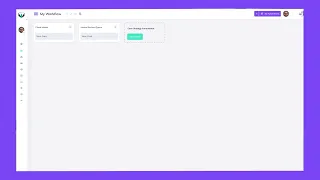
Let’s walk you through how to build a Kanban board using Legalboards for our example firm.
Lesson 5: Boards As An Overview Of Workflows
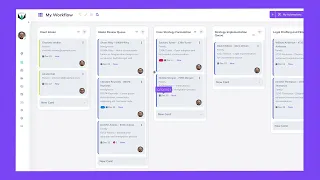
Now that we know the framework and how to build a board, let’s step back and examine how to view the work we’ve completed so far.

Lesson 6: WIP Limits
In this lesson, we’ll dive into one of the concepts that John covered in lesson 2, WIP limits. You’ll learn how to apply them for effective management.
Lesson 7: Board Viewing Tips
Tips about how to best view your board so you can ensure you understand everything at a glance.

Lesson 8: Client Centric Operations
One of the most important benefits of using Kanban is the enhanced client experience. Let’s examine how to optimize your operations for clients.

Lesson 9: Conclusion
In this lesson, we’ll wrap up this course and the Agile concepts covered.